Simulator: Save as GIF
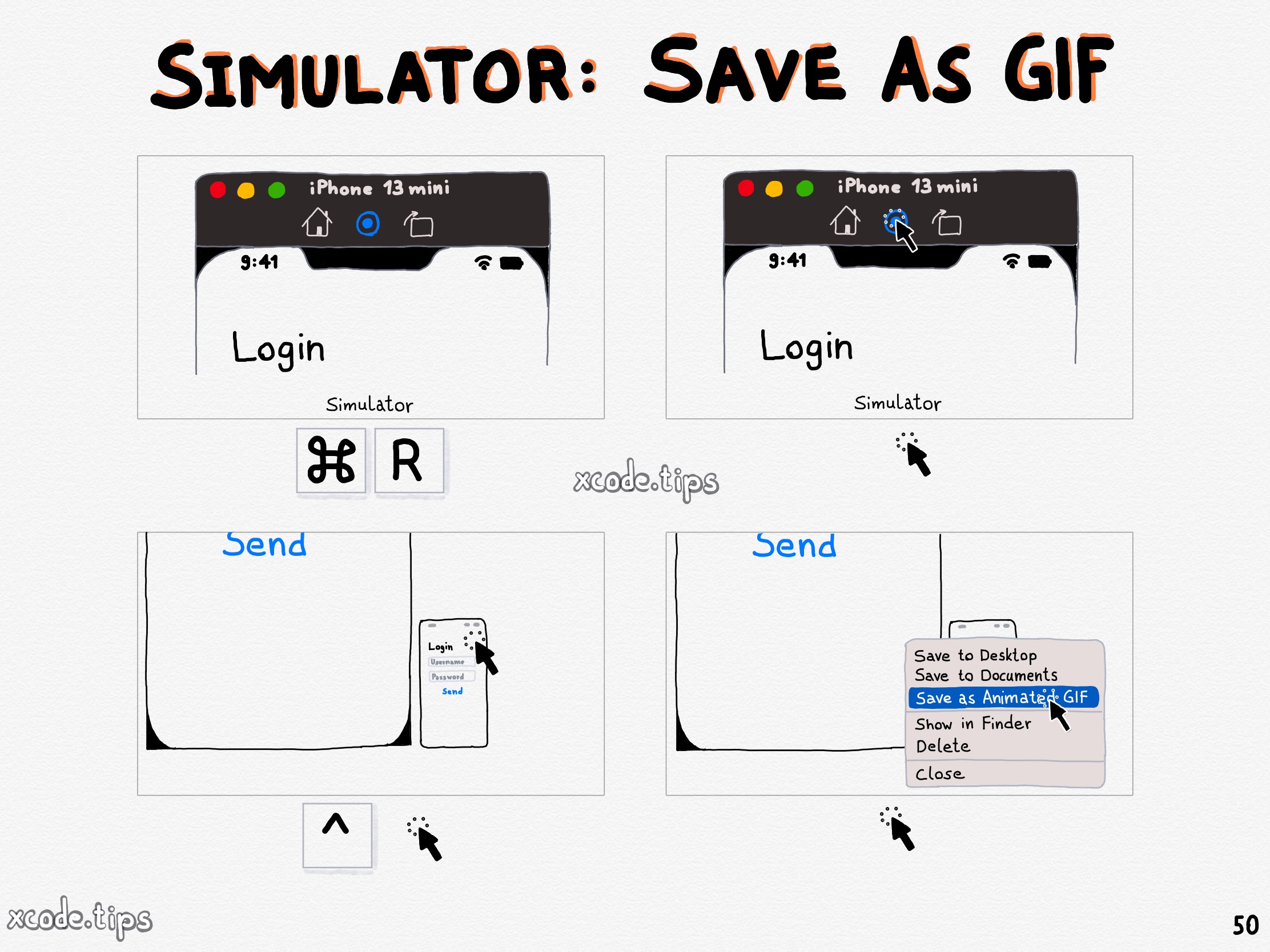
After recording a video with the simulator, hold down the Control key while clicking the small preview. The simulator opens a menu. Select “Save as Animated GIF”.
Featured in SwiftlyRush Weekly 62.
After recording a video with the simulator, hold down the Control key while clicking the small preview. The simulator opens a menu. Select “Save as Animated GIF”.
Featured in SwiftlyRush Weekly 62.